> For the complete documentation index, see [llms.txt](https://guides.clickatell.com/release-notes/llms.txt). Markdown versions of documentation pages are available by appending `.md` to page URLs; this page is available as [Markdown](https://guides.clickatell.com/release-notes/release-notes-archive/2022-release-notes/q3-2022/other-enhancements-and-improvements/communication-preferences-and-notification-banners.md).
# Communication preferences & notification banners
Release date: 4 August 2022
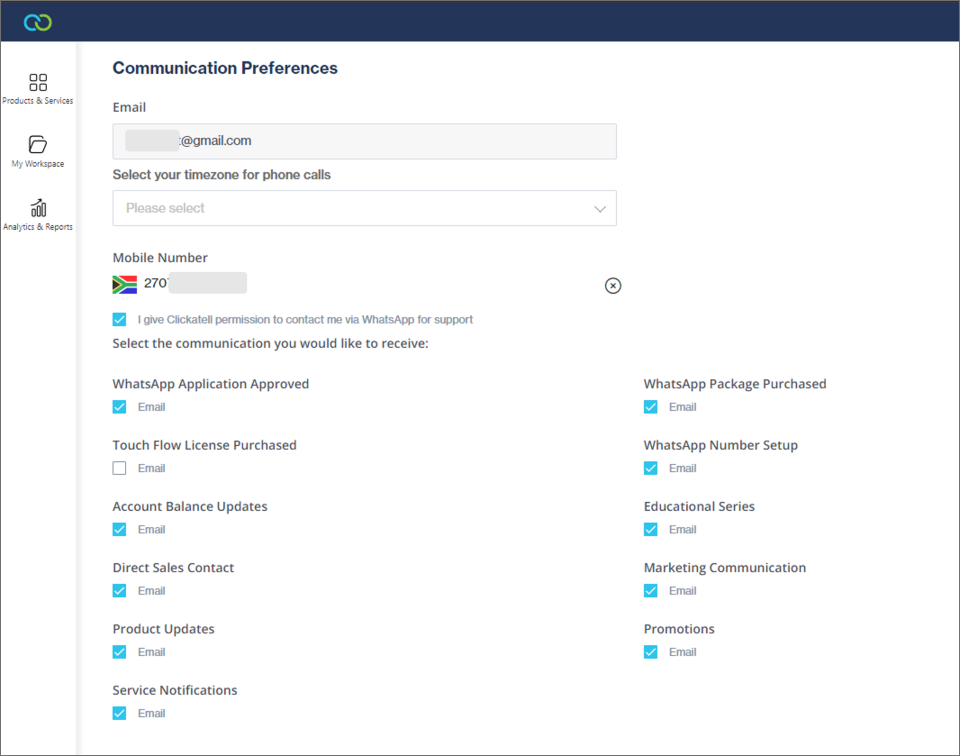
## Communication Preferences
In your [Profile Settings](https://clickatell.gitbook.io/chat-commerce-platform/account-management/profile-settings), under communication preferences, you can now add a mobile number that is verified via a code sent to you. You can also select whether you want to allow our Support/Operations team to contact you via WhatsApp for any of their queries or help requested.
## Portal Notification Banner Upgrade
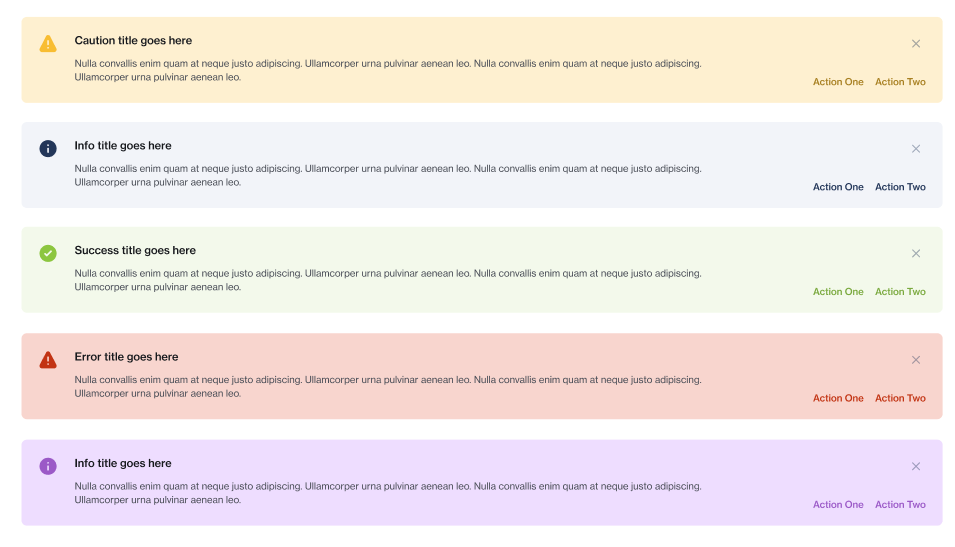
The Portal now boasts a new range of notification banners used throughout.
Most notable is the purple banner that gives you access to a step-by-step guide within a modal pop-up. These guides include extra information, such as how to provision products or complete configurations.
The banner upgrade also includes the green *success*, yellow *error,* and red *failed* notification banners, as well as a blue information banner.