# New: Support for 3rd-party integrations in Chat Desk

{% hint style="info" %}
Available on [**Interact** ](https://www.clickatell.com/products/interact/)and [**Transact** ](https://www.clickatell.com/transact/)packages.
{% endhint %}

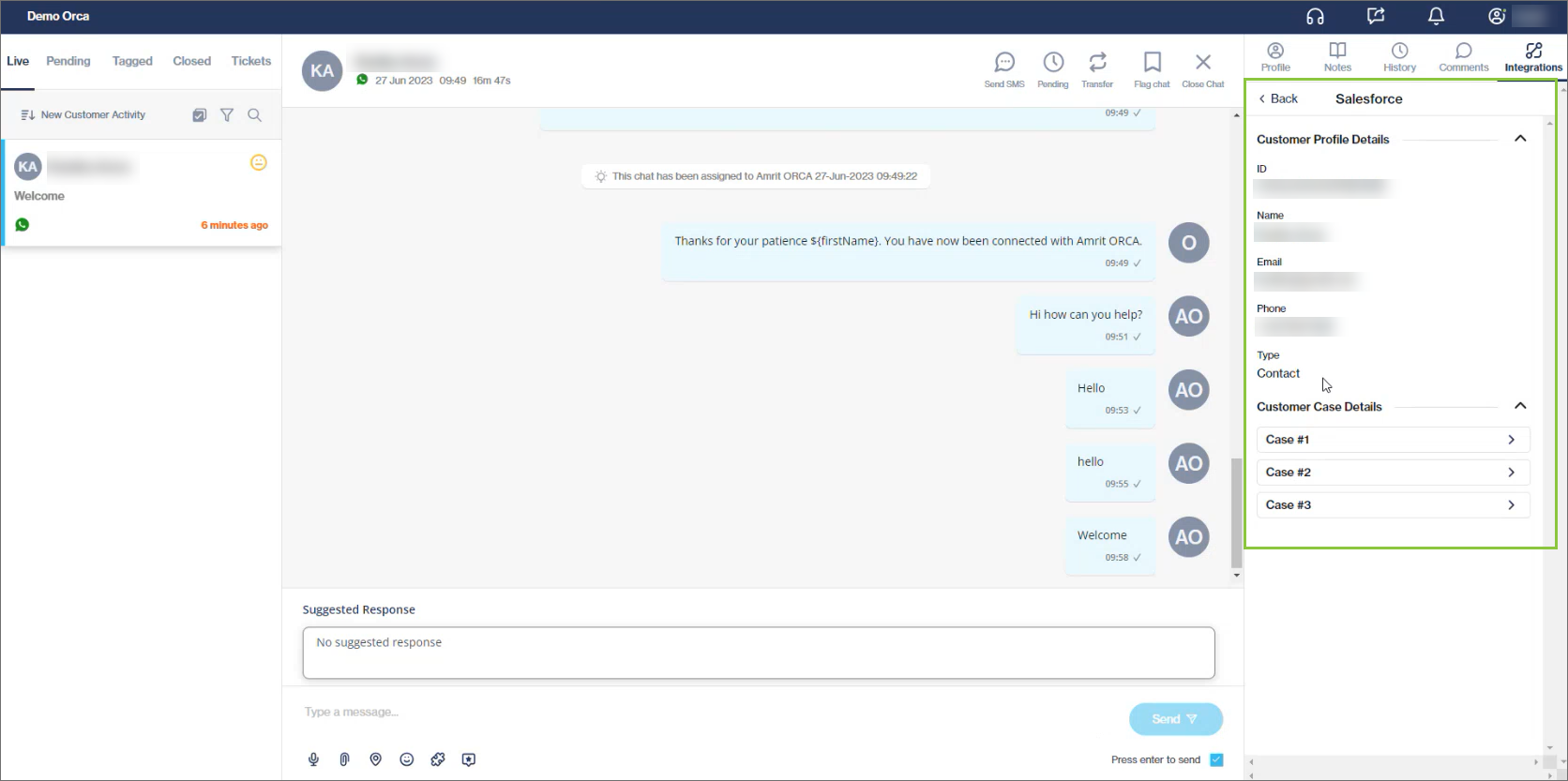
Chat Desk agents and supervisors can now view customer information from 3rd party applications while engaging with customers in Chat Desk, removing the need to switch between applications and managing multiple browser tabs.&#x20;

Available for integrations with Salesforce, Zendesk Sell, Zendesk Support, and Shopify.

{% hint style="success" %}
[Learn more](https://guides.clickatell.com/chat-desk/agent-chat-desk/view-customer-details-from-3rd-party-applications) about viewing customer information from 3rd party applications in the Agent Desk.
{% endhint %}

<figure><img src="/files/ME5jVAhHDyThRNBO2uj4" alt=""><figcaption><p>A new Integrations tab (for Live, Pending, and Tagged chats) contains customer information as fetched from 3rd party providers.</p></figcaption></figure>

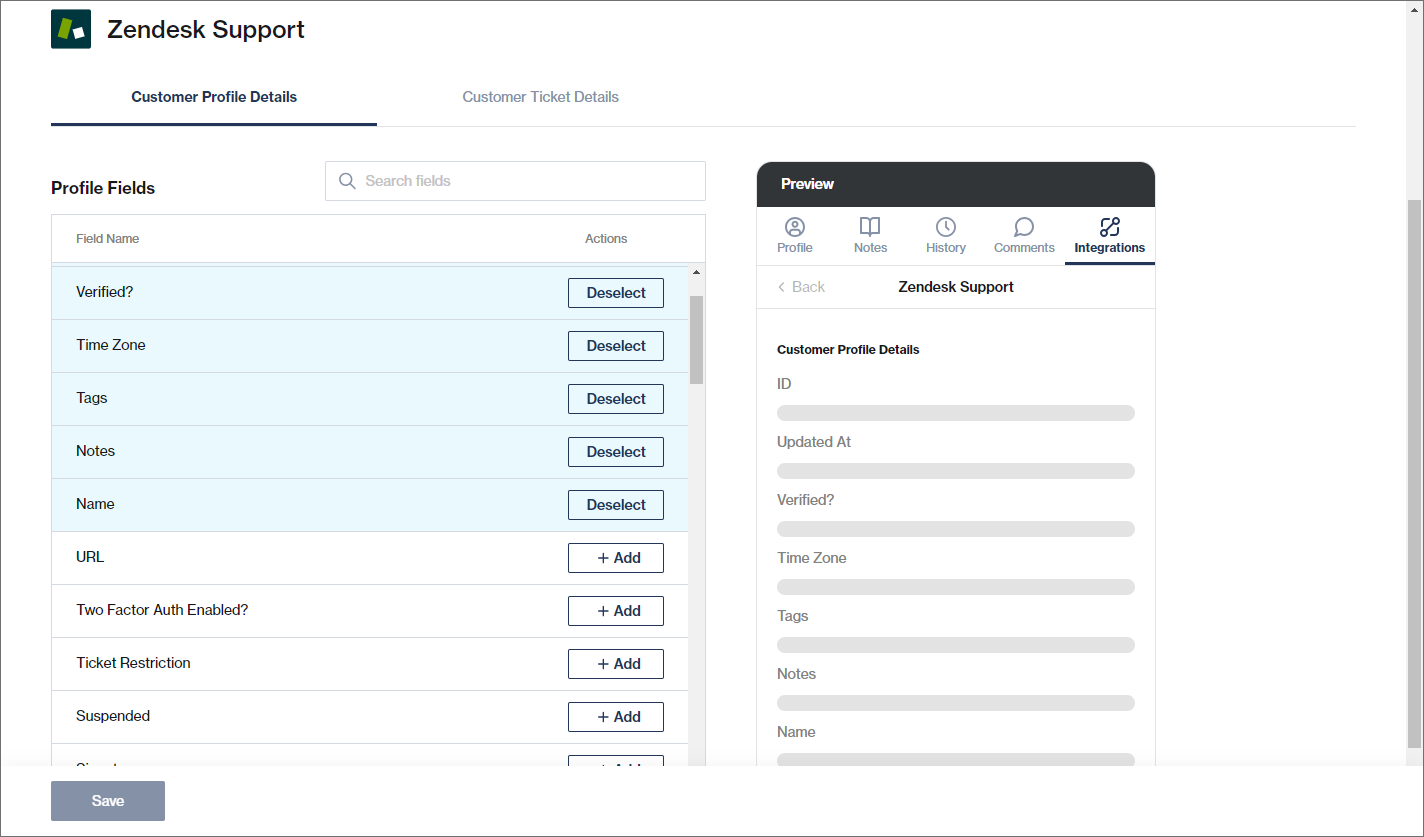
From the Chat Desk settings page, admin users can select the specific fields that should be visible to agents and Supervisors in Chat Desk for each of the 3rd party applications.&#x20;

{% hint style="success" %}
[Learn more](https://guides.clickatell.com/chat-desk/chat-desk-dashboard/settings/integrations) about selecting which fields should be visible in Chat Desk.
{% endhint %}

<figure><img src="/files/geAi7yZl9lTVvyKJJppL" alt=""><figcaption><p>In the Chat Desk Settings, admin users can (de)select the fields that should be visible to agents and supervisors in Chat Desk. A preview is shown on the right.</p></figcaption></figure>

{% hint style="success" %}
You can view our [Chat Desk User Guide](https://guides.clickatell.com/chat-desk/overview/overview) for further details on using this feature.
{% endhint %}


---

# Agent Instructions: Querying This Documentation

If you need additional information that is not directly available in this page, you can query the documentation dynamically by asking a question.

Perform an HTTP GET request on the current page URL with the `ask` query parameter:

```
GET https://guides.clickatell.com/release-notes/release-notes-archive/2023-release-notes/q3-2023/new-support-for-3rd-party-integrations-in-chat-desk.md?ask=<question>
```

The question should be specific, self-contained, and written in natural language.
The response will contain a direct answer to the question and relevant excerpts and sources from the documentation.

Use this mechanism when the answer is not explicitly present in the current page, you need clarification or additional context, or you want to retrieve related documentation sections.