# 1-Click Deploy Process (Phase 1)

Up to now, the process to [approve and deploy](https://clickatell.gitbook.io/flow/workflow-management/approving-deploying-workflows) a flow was a two-person job. The flow-builder had to submit the flow for approval, and a second user (reviewing the flow/changes) was required to approve and deploy the flow before it was promoted to production. A user could not approve and deploy their own flows.&#x20;

With this release, we've added another way for one person to approve and deploy flows without requiring a second 'user'. Once the simplified "*1-Click Deploy Process*" is enabled on a client's account, the flow-builder is allowed to deploy their own flows straight from the Chat Flow canvas, saving them a lot of time and frustration.

In Phase 1, this is a flag that can be set by Clickatell upon request from the client. In the next phase, we'll add it as a setting that our clients with Admin permission can set themselves.&#x20;

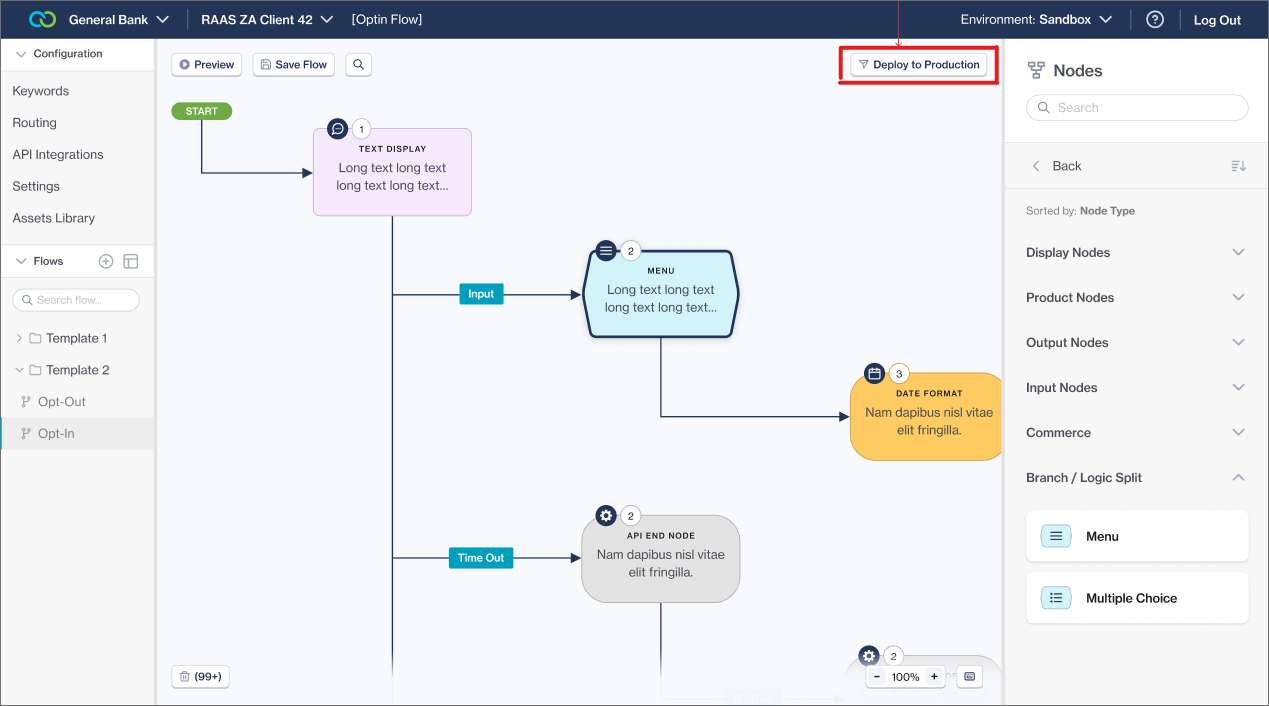
<figure><img src="https://2380245535-files.gitbook.io/~/files/v0/b/gitbook-x-prod.appspot.com/o/spaces%2Fl8ao2e7ogQyZBti1BuxA%2Fuploads%2FjpnR99oKFdwY5M5sqQpD%2Fimage.png?alt=media&#x26;token=81e7a95e-949a-41bd-b895-e73c4f54d6aa" alt=""><figcaption><p>When the "1-Click Deploy Process" is enabled, the "Submit for Approval" button changes to "Deploy to Production"</p></figcaption></figure>

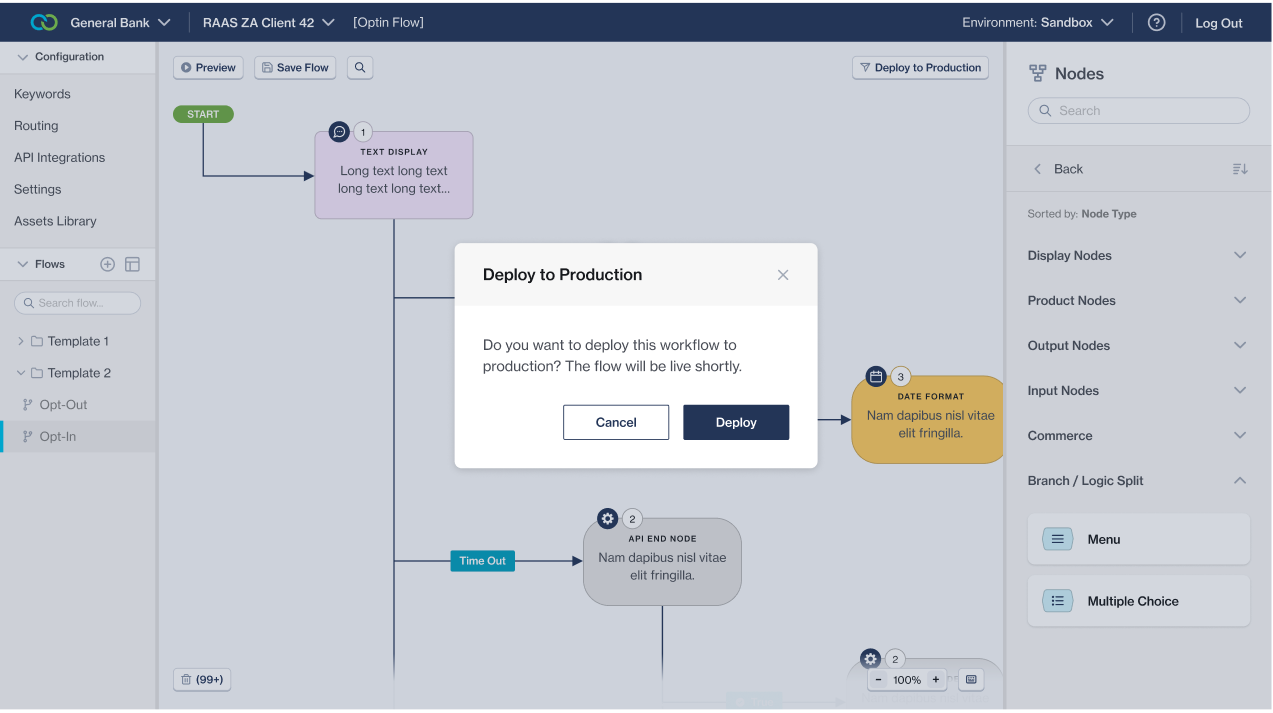
<figure><img src="https://2380245535-files.gitbook.io/~/files/v0/b/gitbook-x-prod.appspot.com/o/spaces%2Fl8ao2e7ogQyZBti1BuxA%2Fuploads%2FCZi30nyJNy908w7EDuFR%2Fimage.png?alt=media&#x26;token=d737cf7f-823f-4277-9b28-1d108ca0fefd" alt=""><figcaption><p>The flow-builder must simply confirm they want to continue with the flow deployment</p></figcaption></figure>

<figure><img src="https://2380245535-files.gitbook.io/~/files/v0/b/gitbook-x-prod.appspot.com/o/spaces%2Fl8ao2e7ogQyZBti1BuxA%2Fuploads%2FkoSNS0DQ5IG9fRR5z6oQ%2Fimage.png?alt=media&#x26;token=5048c53e-8b59-4572-95f5-659a6aec7280" alt=""><figcaption><p>All done! the flow-builder has promoted their own flow to production.</p></figcaption></figure>