> For the complete documentation index, see [llms.txt](https://guides.clickatell.com/release-notes/llms.txt). Markdown versions of documentation pages are available by appending `.md` to page URLs; this page is available as [Markdown](https://guides.clickatell.com/release-notes/release-notes-archive/2022-release-notes/q3-2022/live-agent-messaging/standardize-csat-ratings-and-whatsapp-read-receipts.md).
# Standardize CSAT ratings & WhatsApp Read Receipts
Release date: 8 September 2022
## Standardize CSAT ratings
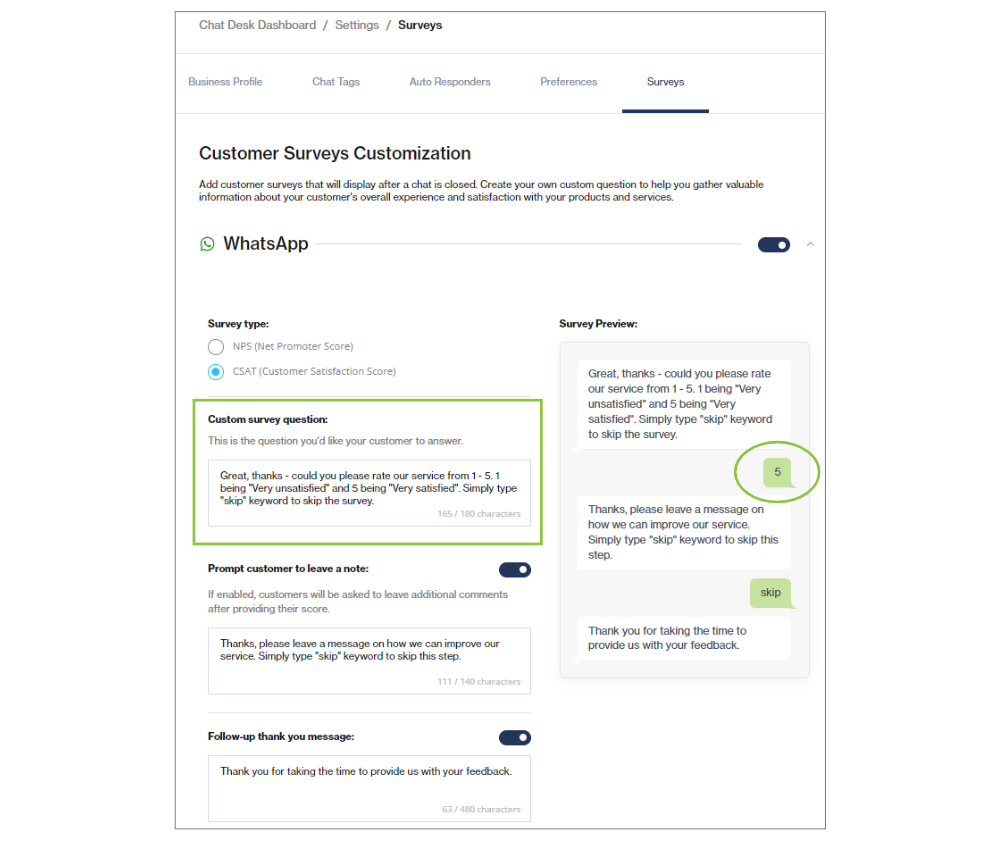
Before, Chat Desk had different rating scales for [CSAT surveys](https://clickatell.gitbook.io/chat-desk/chat-desk-dashboard/settings/survey-management) that our clients could select from. However, for simplicity and consistency of rating across our channels, Chat Desk now supports only one rating scale (1-5).
## WhatsApp Read Receipts
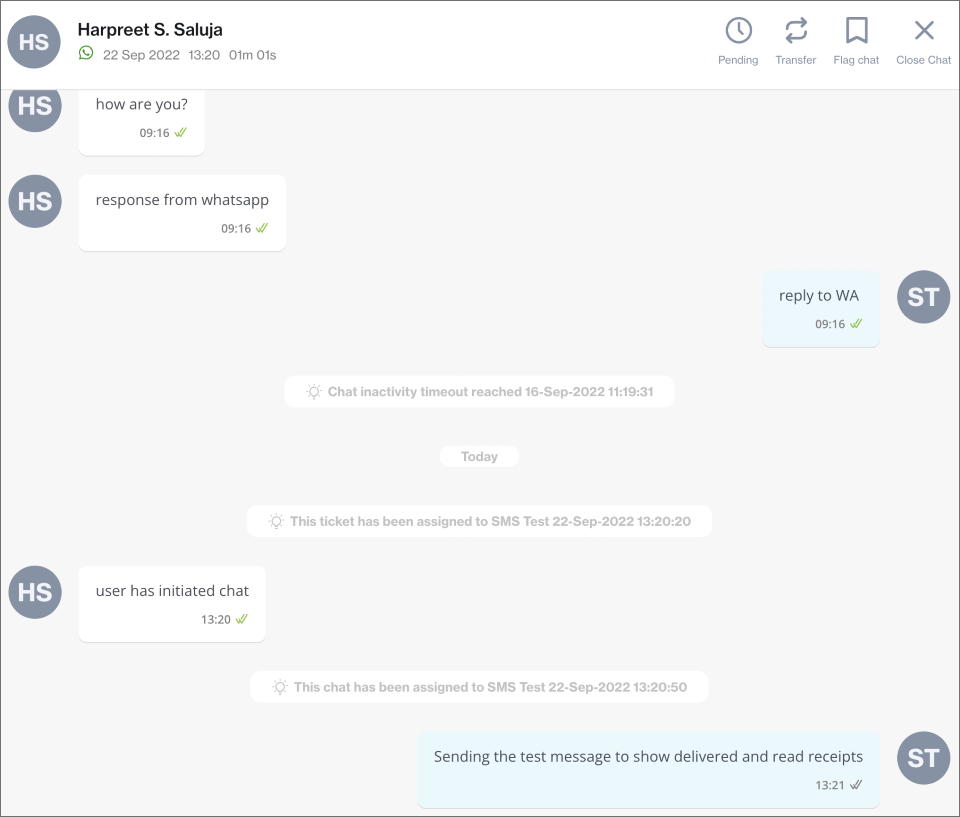
Chat Desk now supports read receipts for WhatsApp chats between agents and end-users, as long as the read receipts feature is enabled on the end-user's side. Agents and end-users can see whether their message has been delivered to (two grey ticks) or read by (two green ticks) the other party as shown below.
Two grey ticks signify that a message has been delivered.
Two green ticks signify that a messages has been read.