> For the complete documentation index, see [llms.txt](https://guides.clickatell.com/release-notes/llms.txt). Markdown versions of documentation pages are available by appending `.md` to page URLs; this page is available as [Markdown](https://guides.clickatell.com/release-notes/release-notes-archive/2024-release-notes/q1-2024/channel-updates/sending-and-requesting-locations-on-whatsapp.md).
# Sending and requesting locations on WhatsApp
Release date: 15 February 2024
### Location templates
When using a Media or Utility type template, you can now [add location as a header](https://guides.clickatell.com/whatsapp-channel/channel-capabilities/whatsapp-message-templates/use-location-in-message-templates). To your customer, this appears as a generic map at the top of the template reflecting a static location defined by the business for a particular use case. When tapped, the customer's default map app will open and load the specified location.
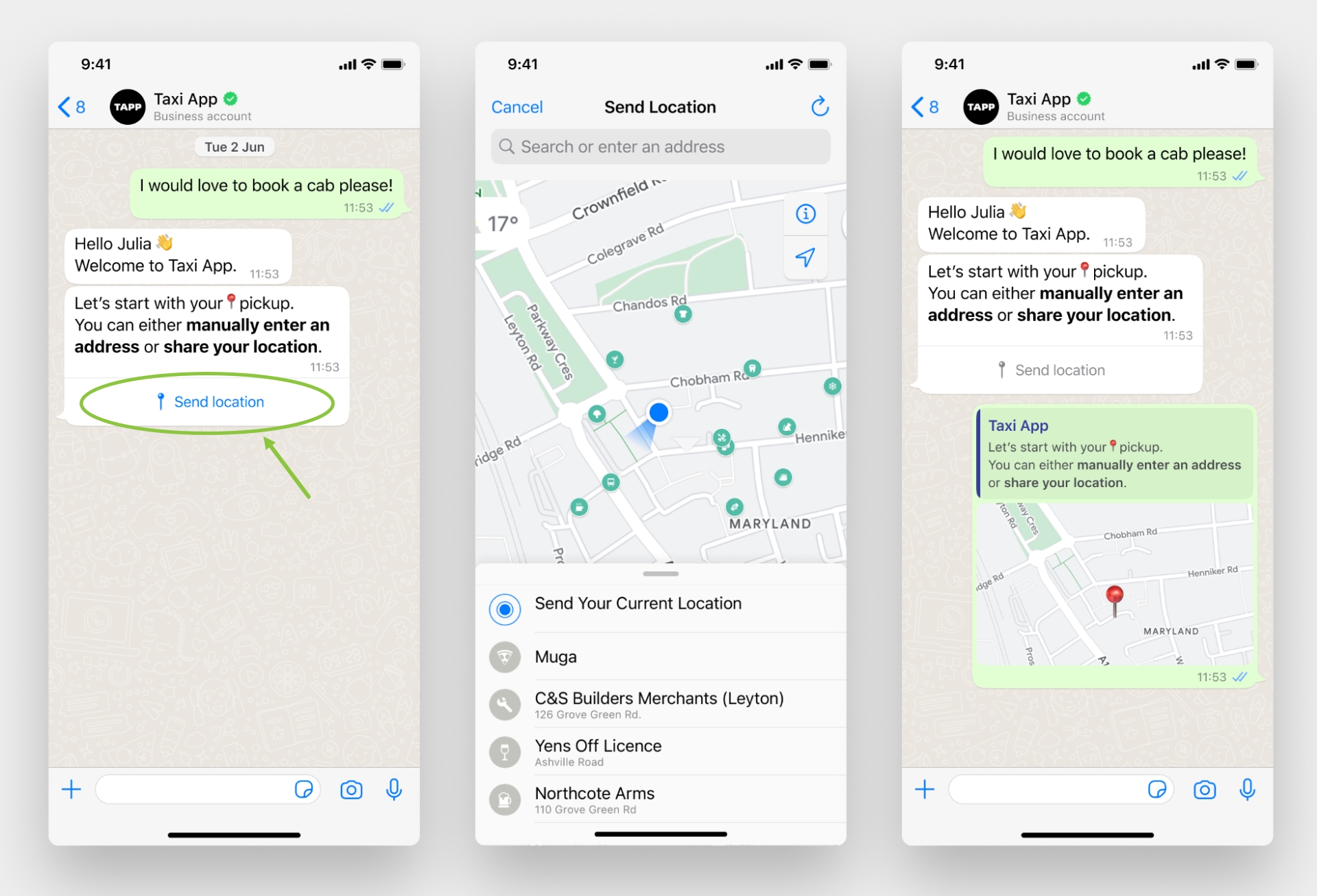
### Request location interactive message
Clickatell now supports interactive messages requesting customers to share a location. They contain body text and a *Send location* button that customers can tap. Tapping the button displays a location-sharing screen that the user can then use to share their location.
{% hint style="info" %}
Sharing of a live location is **not** supported.
{% endhint %}