> For the complete documentation index, see [llms.txt](https://guides.clickatell.com/release-notes/llms.txt). Markdown versions of documentation pages are available by appending `.md` to page URLs; this page is available as [Markdown](https://guides.clickatell.com/release-notes/release-notes-archive/2022-release-notes/q2-2022/automated-messaging/oauth-node-and-previewer-enhancements.md).

# OAuth node & Previewer enhancements

## New OAuth Request Node

The [*OAuth Request* node](https://clickatell.gitbook.io/flow/user-facing-nodes/input-nodes/oauth-request) allows you to authenticate your end-users securely against your chosen identity provider (IDP) from within your workflow so that they can access secure services specific to them from your internal platforms.

{% hint style="warning" %}
NOTE: This is not available to all clients yet, but will be soon. Please reach out to our Support team if you have any questions or interest in this product.
{% endhint %}

## Previewer UX Enhancements

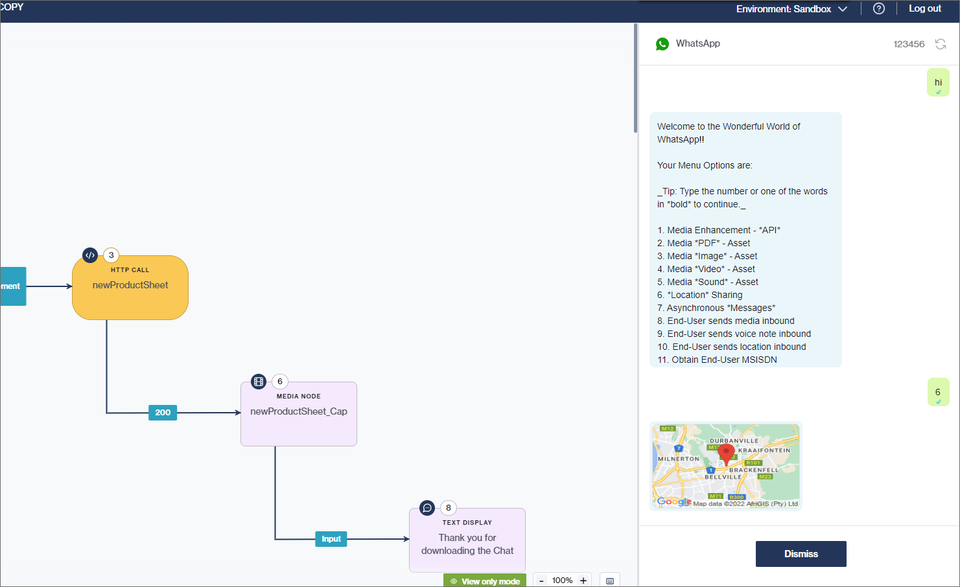
We've moved the [Previewer ](https://clickatell.gitbook.io/flow/workflow-management/using-the-previewer)from a pop-up modal in the center of the screen to the right side of the screen. It is also possible to resize the Previewer panel. This makes it easier for the flow-builder to view the flow they're building and their end-user's experience thereof simultaneously. &#x20;

Secondly, we've updated the look and feel of the Previewer to ensure the user experience is more consistent with the rest of the Chat Flow product. We've also started adding more intuitive features per channel for the flow-builder to have a more real-life channel experience.&#x20;

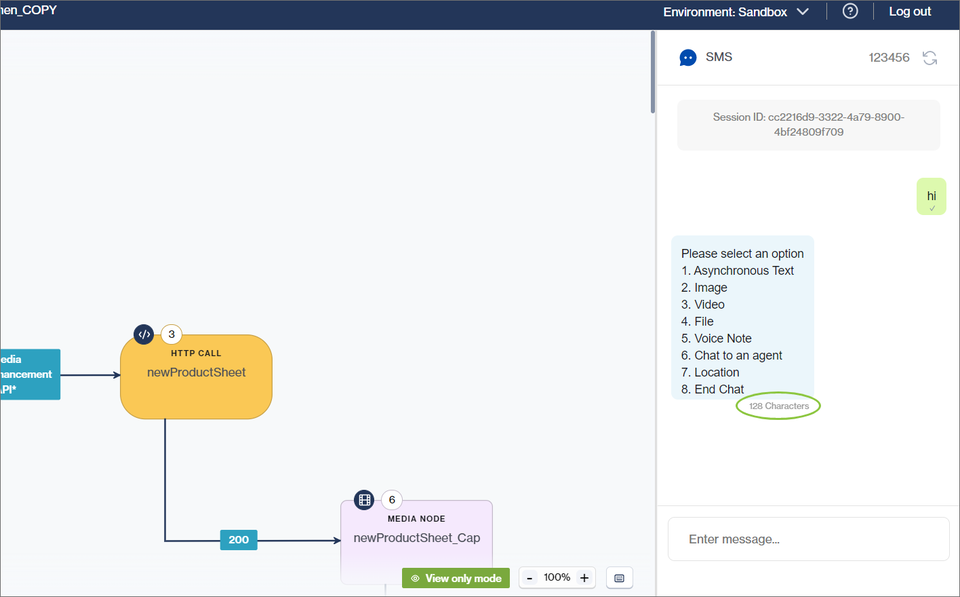
After the flow-builder selects the channel on which they want to preview the flow, the Previewer updates to present the flow-builder with a more realistic experience of the selected channel (*more exciting channels coming soon!*). &#x20;

<figure><img src="/files/2d566vkhjNqJzeiqjK0r" alt=""><figcaption><p>The SMS channel provides a simpler, text-only experience including a character count so flow-builders can correctly structure their messages</p></figcaption></figure>

<figure><img src="/files/tSyUq0iXZEqUp9DubSqd" alt=""><figcaption><p>The WhatsApp channel offers a rich experience, including media, location sharing, etc.</p></figcaption></figure>

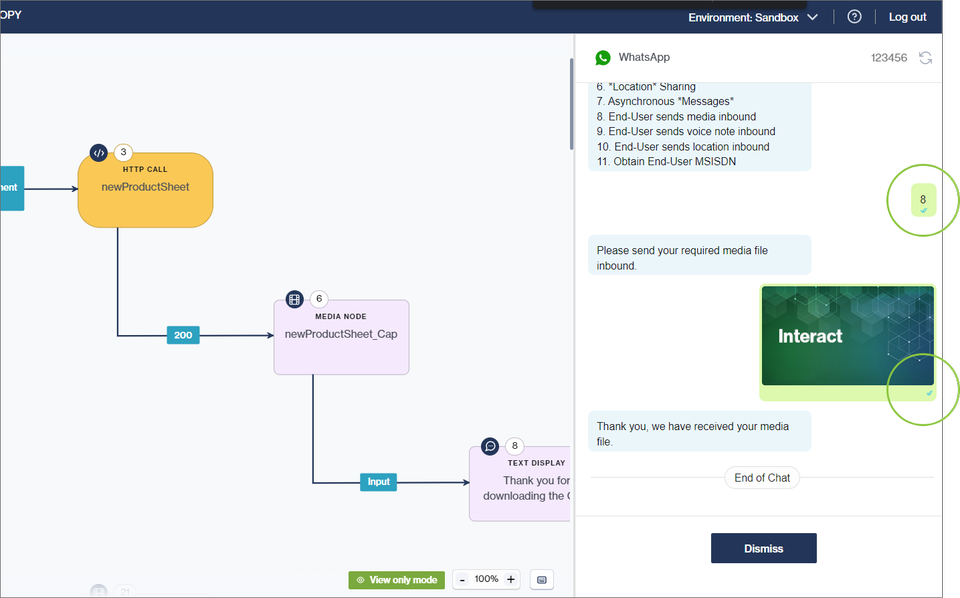
For WhatsApp, we also implemented Business Read Receipts on the Previewer. This will offer the end-user a more realistic experience as they know and expect those familiar blue double-ticks.&#x20;

<figure><img src="/files/aP4dmd86vLOcw8NTlIdU" alt=""><figcaption></figcaption></figure>


---

# Agent Instructions
This documentation is published with GitBook. GitBook is the documentation platform designed so that both humans and AI agents can read, navigate, and reason over technical content effectively. Learn more at gitbook.com.

## Querying This Documentation
If you need additional information that is not directly available in this page, you can query the documentation dynamically by asking a question.

Perform an HTTP GET request on the current page URL with the `ask` query parameter, and the optional `goal` query parameter:

```
GET https://guides.clickatell.com/release-notes/release-notes-archive/2022-release-notes/q2-2022/automated-messaging/oauth-node-and-previewer-enhancements.md?ask=<question>&goal=<endgoal>
```

`ask` is the immediate question: it should be specific, self-contained, and written in natural language.
`goal` is optional and describes the broader end goal you are ultimately trying to accomplish on behalf of the user. GitBook uses it to tailor the answer towards what is most useful for that goal.

The response will contain a direct answer to the question and relevant excerpts and sources from the documentation.

Use this mechanism when the answer is not explicitly present in the current page, you need clarification or additional context, or you want to retrieve related documentation sections.