# Support for dynamic URLs in WhatsApp

### Release Summary <a href="#release-summary" id="release-summary"></a>

We added support for dynamic URLs when sending WhatsApp message templates via Campaign Manager, enabling you to send out more personalized campaigns.

{% hint style="info" %}
A dynamic URL is a web address that changes based on the content displayed or the parameters passed to it. Unlike static URLs, which remain constant, dynamic URLs are generated on-the-fly and can contain variable elements.
{% endhint %}

We also made valuable usability updates and fixed several bugs in a continuous effort to enhance our clients' experience when using this tool.

### Release Details <a href="#release-details" id="release-details"></a>

#### **Supporting dynamic URLs in message templates**

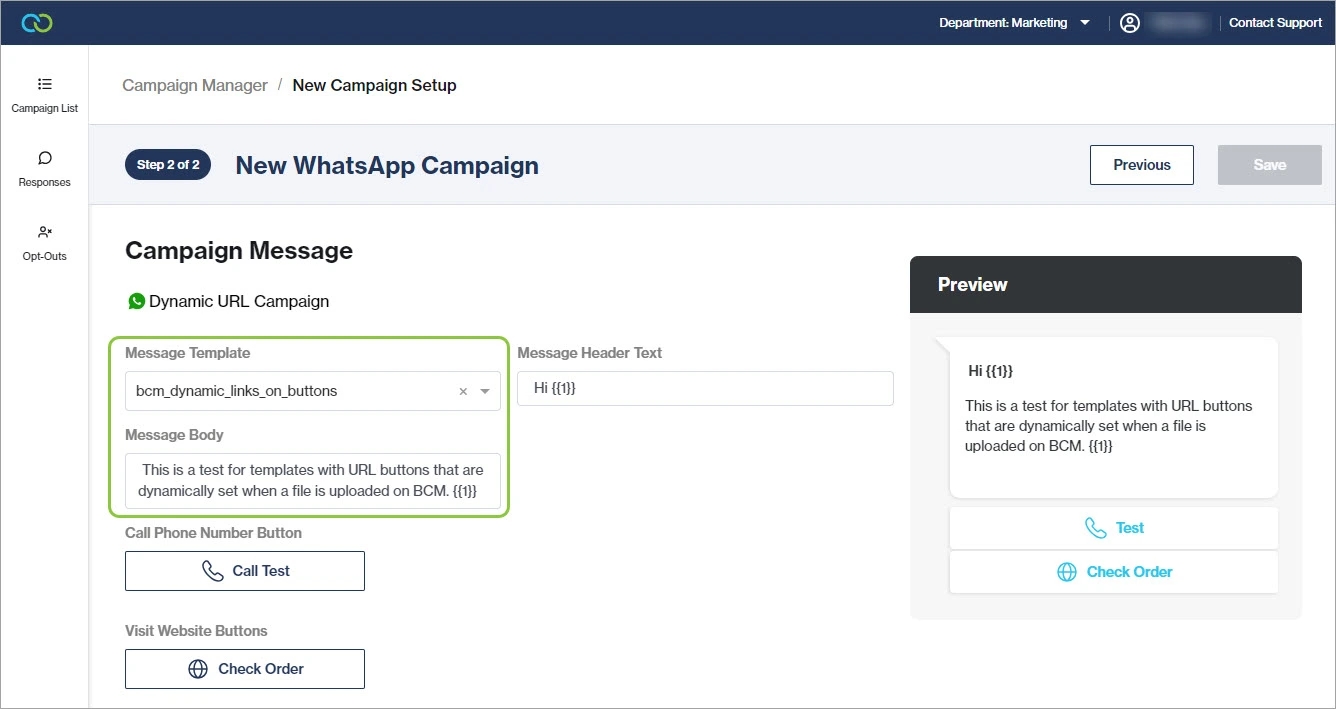
When [creating a new campaign](https://guides.clickatell.com/campaign-manager/manage-campaigns/add-a-new-campaign) in Campaign Manager, you can select a message template that contains dynamic URLs from the message template drop-down list. A preview of the message is shown on the right.

<figure><img src="https://guides.clickatell.com/~gitbook/image?url=https%3A%2F%2Fcontent.gitbook.com%2Fcontent%2FwmGaDUQBZMvcoFPmfgvf%2Fblobs%2Fj6Z0iqNpVPAAG7HeBiAO%2Fimage.png&#x26;width=768&#x26;dpr=4&#x26;quality=100&#x26;sign=a63954f8&#x26;sv=2" alt=""><figcaption><p>You can now select a WhatsApp message template that contains dynamic URLs.</p></figcaption></figure>

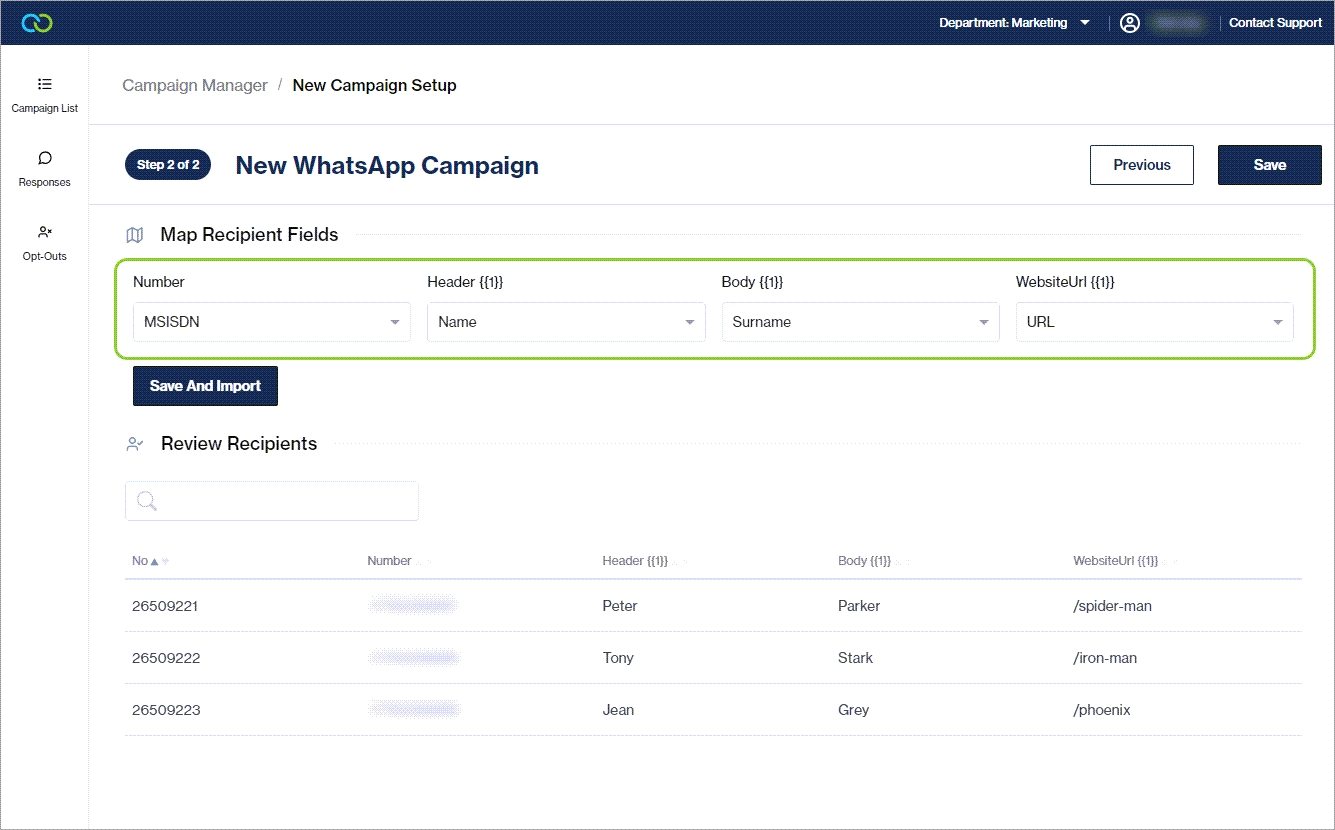
After [uploading ](https://guides.clickatell.com/campaign-manager/manage-campaigns/add-a-new-campaign#recipients)the recipient file containing the dynamic URL data, you map each variable in the template to a column in the file, including the dynamic URL variable. Once saved, you can preview the fields that will populate each variable in the template.

#### **UI Updates**

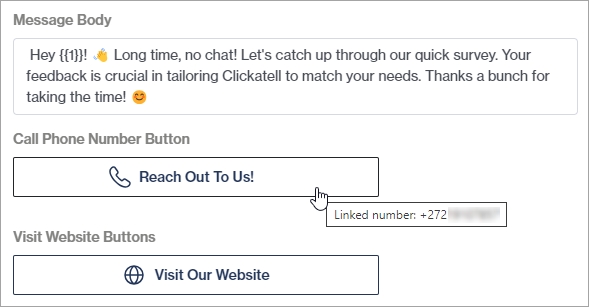
All buttons in the template are also now listed. If it is a call-to-action button, the number and URL(s) linked to each button are shown when hovering over it. This number will be dialed if an end-user taps the Call Phone Number button and the URL launched when they tap the Visit Website button.

<figure><img src="https://guides.clickatell.com/~gitbook/image?url=https%3A%2F%2Fcontent.gitbook.com%2Fcontent%2FwmGaDUQBZMvcoFPmfgvf%2Fblobs%2F6Anjtz8nUO8BCVnbYDuG%2Fimage.png&#x26;width=768&#x26;dpr=4&#x26;quality=100&#x26;sign=d3d5e12b&#x26;sv=2" alt="" width="375"><figcaption><p>The number linked to this button for the selected template is shown upon hover.</p></figcaption></figure>

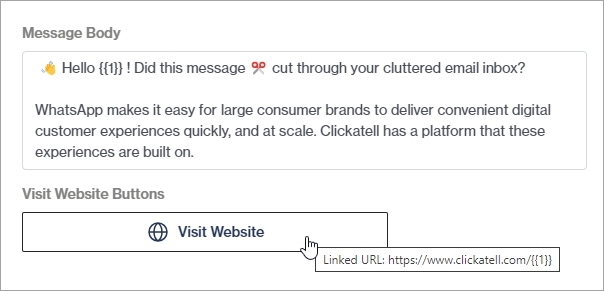
If the URL button is linked to a dynamic URL, it is shown in the format: *<https://example.com/order/\\{{1\\}}>*. The value of this variable gets mapped when uploading the recipient file.

<figure><img src="https://guides.clickatell.com/~gitbook/image?url=https%3A%2F%2Fcontent.gitbook.com%2Fcontent%2FwmGaDUQBZMvcoFPmfgvf%2Fblobs%2FWIvDjpPBBOWvhURXQidY%2Fimage.png&#x26;width=768&#x26;dpr=4&#x26;quality=100&#x26;sign=d58e7606&#x26;sv=2" alt="" width="375"><figcaption><p>The dynamic URL linked to this button for the selected template is shown upon hover.</p></figcaption></figure>

We also updated the field names of the variables to make it easier to know what to map where.

<figure><img src="https://guides.clickatell.com/~gitbook/image?url=https%3A%2F%2Fcontent.gitbook.com%2Fcontent%2FwmGaDUQBZMvcoFPmfgvf%2Fblobs%2FR7Sw5JQ1nxKdFWDRmBZG%2Fimage.png&#x26;width=768&#x26;dpr=4&#x26;quality=100&#x26;sign=b4296be6&#x26;sv=2" alt=""><figcaption><p>The field names of the variables were updated to be more descriptive.</p></figcaption></figure>

#### **Bugs 🐞**

We fixed an important bug that prevented users from deleting a Pending (scheduled) campaign.