> For the complete documentation index, see [llms.txt](https://guides.clickatell.com/clickatell-ai-user-guide/llms.txt). Markdown versions of documentation pages are available by appending `.md` to page URLs; this page is available as [Markdown](https://guides.clickatell.com/clickatell-ai-user-guide/assistants/overview.md).
# Overview
## What is an "assistant"?
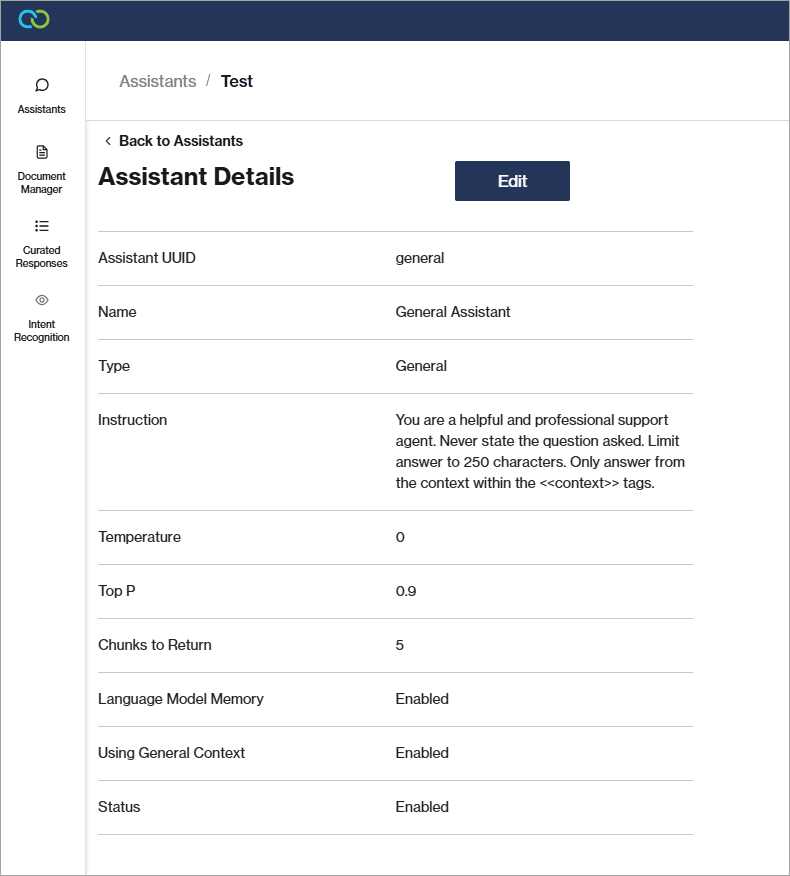
Assistants are modern chatbots, powered by generative AI, that can be [trained ](/clickatell-ai-user-guide/training/upload-and-manage-documents.md)quickly and easily on business-specific information. Assistants can understand customer queries in meaningful ways, perform a wide range of helpful, automated tasks, and answer questions accurately across various domains in a conversational manner.
Multiple assistants can be [added](/clickatell-ai-user-guide/assistants/set-up-your-assistants.md), each with their own instructions, functions, and settings. Assistants are independent services that can be deployed in Chat Flow, Chat Desk, or even via APIs to other channels. AI assistansts are created in the AI Portal.
* A [general assistant i](#general-assistant)s added to your account by default.
* You can add any number of [additional assistants](#additional-assistants).
## Assistant Types
### General Assistant
A **general assistant** is added to your account by default. This general assistant can be [edited](/clickatell-ai-user-guide/assistants/set-up-your-assistants.md#edit-or-enable-disable-assistants) but cannot be disabled or deleted.
The general assistant uses its own set of documentation and curated responses to generate answers. This documentation includes general information about the business, such as its vision and mission, general FAQs, company policies, products and services offered, etc.
### Additional Assistants
You can [add](/clickatell-ai-user-guide/assistants/set-up-your-assistants.md#add-assistants) as many assistants to your account as you want. Each assistant has their own instruction (system prompt), settings, set of [documentation](/clickatell-ai-user-guide/training/upload-and-manage-documents.md), and [curated responses](/clickatell-ai-user-guide/training/create-curated-responses.md). These assistants can either use their own documentation exclusively or access both their and the general assistants' documentation.
An example includes having different assistants for different departments within a business, such as HR (internal) or Customer Support (external), where each assistant uses documentation specific to its function.
Currently, you can select between two types of additional assistants:
* Content Generation
* This type of assistant can answer questions or hold general conversations.
* Intent Recognition
* This type of assistant can classify users' requests, and slot-fill information.
{% hint style="info" %}
First create an appropriate [intent set](/clickatell-ai-user-guide/training/configure-intents.md) before creating an intent recognition assistant, as you need to link the assistant to a specific set.
{% endhint %}