> For the complete documentation index, see [llms.txt](https://guides.clickatell.com/chat-commerce-platform/llms.txt). Markdown versions of documentation pages are available by appending `.md` to page URLs; this page is available as [Markdown](https://guides.clickatell.com/chat-commerce-platform/platform-capabilities/broadcast-messenger-1/sms-campaign-manager.md).
# SMS Campaign Manager
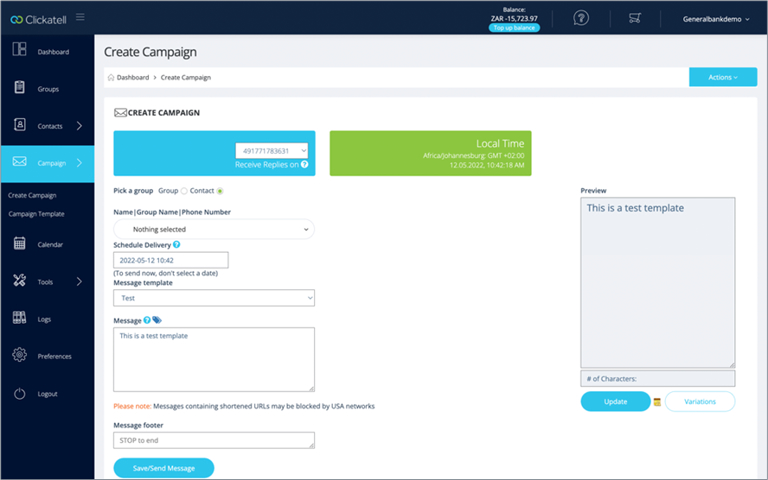
Increase the effectiveness of your marketing campaigns with well-orchestrated campaign management. Campaign Manager lets you launch SMS campaigns in minutes, increasing customer conversion rates in a targeted and cost-effective manner.
### ✅ What can SMS Campaign Manager do for you?
* Engage more of your customers, creating brand awareness and driving sales.
* Grow your brand, making it more relevant and attractive to mobile-first customers.
* Reach more customers and drive better results at lower business costs.
* Communicate securely, reliably, and instantly with your customers.
* Provide a single interface for business marketers to execute SMS campaigns.
* Onboard, set up, and execute campaigns immediately without integration.
* Engage with your customers via two-way communication and auto-replies.
* Track the progress and performance of your campaigns online.
### 🔑 What features are included?
* Campaign Management (new campaign, campaign templates, scheduling).
* Message sending (single and bulk SMS messages).
* Opt-In/Opt-Out Management (keywords, manage subscribed/unsubscribed numbers, new subscriber alerts).
* Contact & List Management (add, import/export, edit contacts, and manage distribution lists/groups).
* Subscription Management (set up & manage sent number and manage top-ups).
* User Management (add, edit, delete users, manage user roles & permissions).
* Reports/analytics (generate logs for inbox and outbox).
* Tools (create short links, click counter, export short links, non-GSM character checker).
* High volume deliverability (50 Transactions Per Second – for more contact your account manager).
* Performance reporting.
{% hint style="success" %}
Contact our [Sales Team](https://www.clickatell.com/contact/contact-sales/) to find out more about using our SMS Campaign Manager!
{% endhint %}