> For the complete documentation index, see [llms.txt](https://guides.clickatell.com/chat-commerce-platform/llms.txt). Markdown versions of documentation pages are available by appending `.md` to page URLs; this page is available as [Markdown](https://guides.clickatell.com/chat-commerce-platform/data-and-analytics/dashboards-in-clickatell-portal/chat-2-pay-payments.md).
# Chat 2 Pay (Payments)
You get access to the following Chat 2 Pay reports in the Clickatell Portal:
* [Full Analytics](#full-analytics)
{% hint style="success" %}
These reports can be **downloaded** as PDFs. If any filters were applied, only the filtered results are exported.
Where applicable, view **Definitions** for terms used in the reports via the button in the top right.
{% endhint %}
## **Full Analytics**
Get an overview of the **Chat** **2 Pay** activity on your account. You can view it for a selected date range, channel, or integrator.
At the top of the report, various **metrics** summarize how Chat 2 Pay is performing.
Metrics include:
* Number of **successful payments**, their value, and the success rate.
* Number of **unsuccessful payments** and their value.
* Payment link click rate.
* Month-on-month growth rate of active customers.
* Percentage of returning customers.
{% hint style="success" %}
The report can be **downloaded** as PDF by selecting *Download Report* in the top right. If any filters were applied, only the filtered results are exported.
View **Definitions** for terms used in this report via the button in the top right.
{% endhint %}
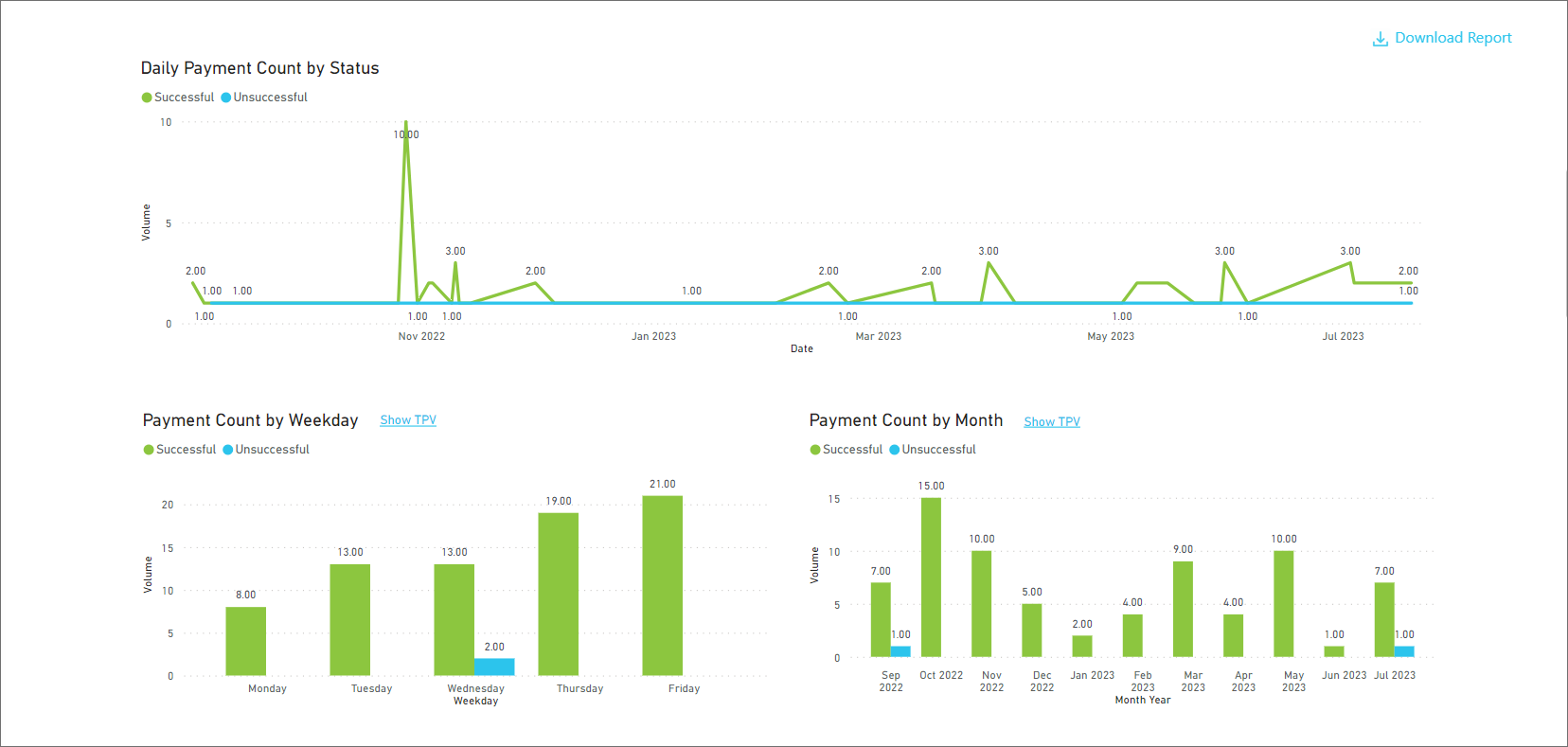
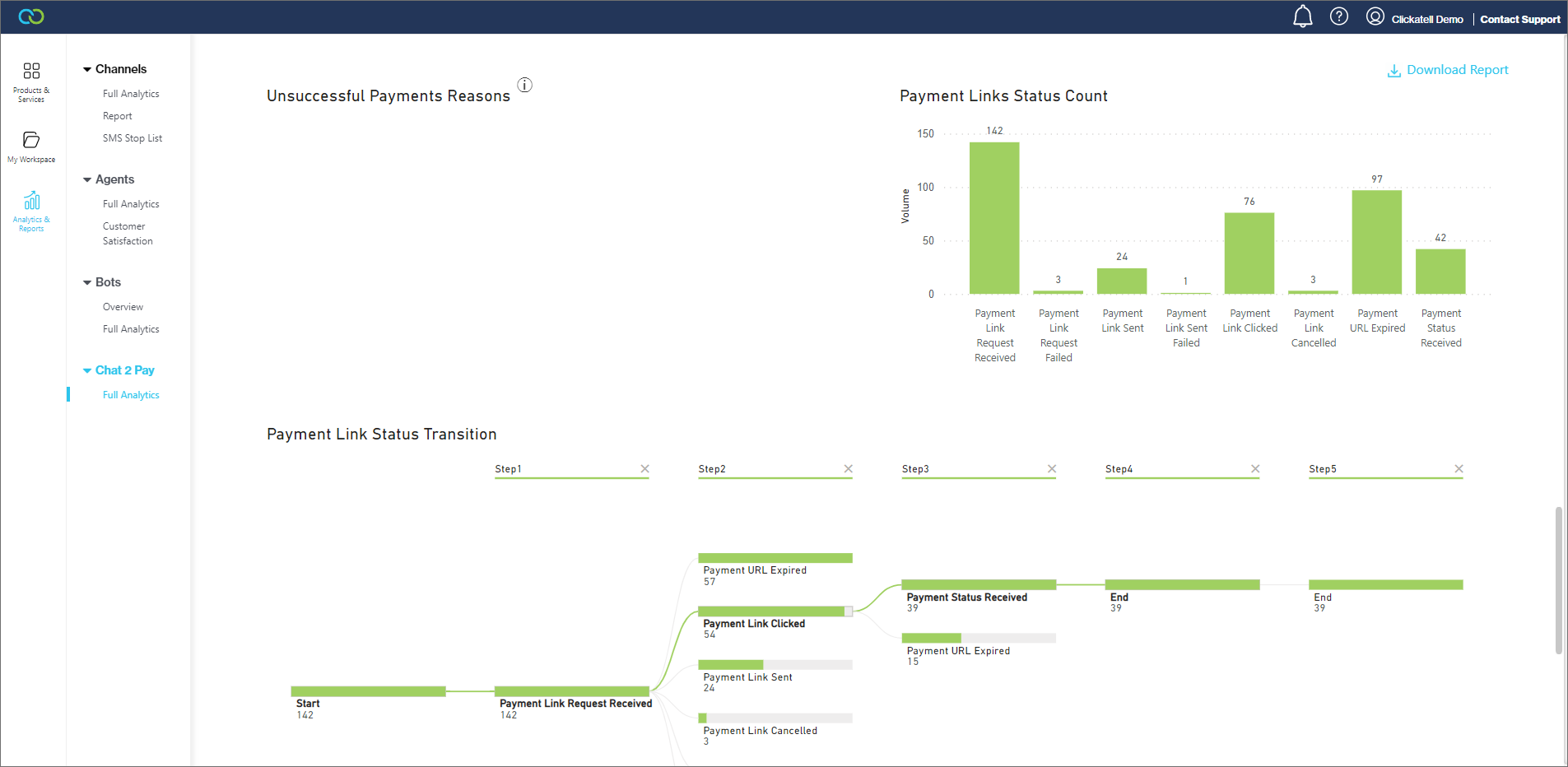
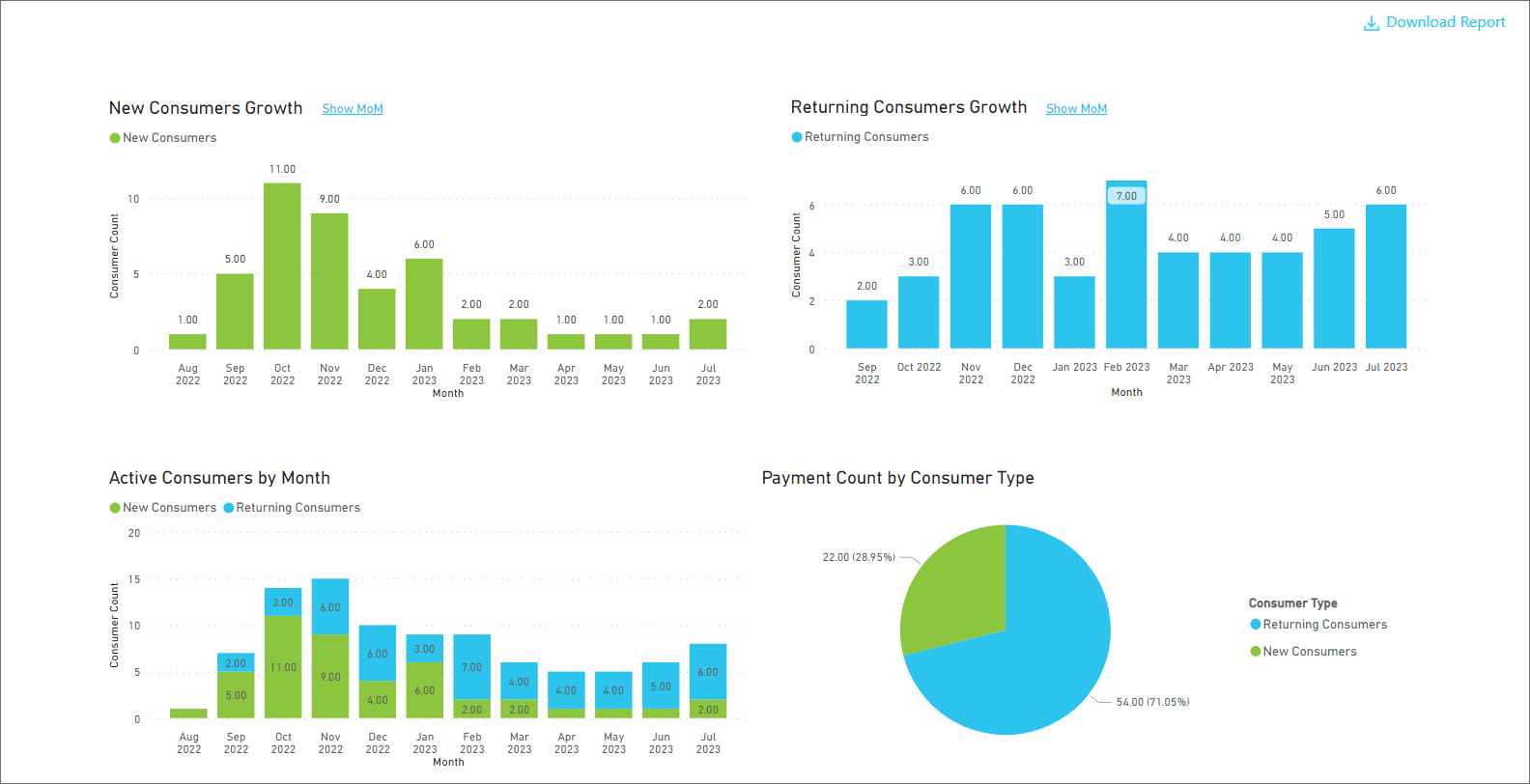
Scrolling down, you'll find **graphical** representations of your data.